

Wtempo
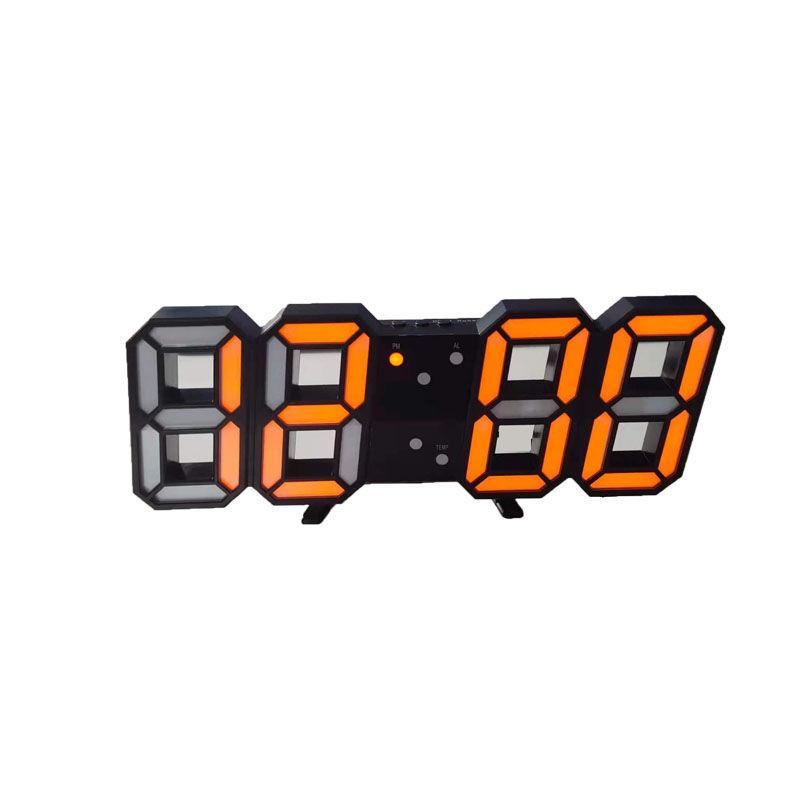
3D Voice-activated LED Digital Clock Three Modes Time Date Weather Home Desktop Creative Electronic Clock
Couldn't load pickup availability
Shipping
Shipping
1. Estimated time of delivery can take longer than expected due to invalid address, customs clearance procedures or other causes.
2. If your package has not been delivered or your tracking information shows that your package has been delivered but you have not received it, you must contact Customer Service to verify within 45 days of the order date. For other orders, products, and logistics related issues, you must contact customer service within 90 days of the order date.
3. During peak sale season, the delivery time of your package(s) may take a little bit longer. Thanks for your patience. Please go to "my orders_track" to track your .
Returns
Returns
1.We have a 30-day return policy, which means you have 30 days after receiving your item to request a return.
2.To be eligible for a return, your item must be in the same condition that you received it, unworn or unused, with tags, and in its original packaging. You’ll also need the receipt or proof of purchase.
3.To start a return, you can contact us atservice@wtempo.com. If your return is accepted, we’ll send you a return shipping label, as well as instructions on how and where to send your package. Items sent back to us without first requesting a return will not be accepted.
Power type: power type (USB plug-in, can not store electricity)
Size: 22.5*8*2.5cm
Free hook, can be used to hang the clock~~~
Instructions for use:
Press the UP key to switch between 3 modes
Mode 1: Automatic conversion of time, date and temperature
Mode 2: The default display time, which mode is always displayed when switched to
Mode 2: The default display time, switch to other modes, automatically return to time mode after 15 seconds
Press the SET button to enter time mode, date mode, temperature mode, and alarm mode in sequence
Long press SET for three seconds to enter the alarm adjustment mode, you can set three alarms
In the time mode, long press SET to enter the 24/12-hour switching mode. After the change is completed, press SET to complete
Press DOWN to enter the power saving mode, and the LED indicator will turn off after 15 seconds
When the external sound reaches 75db, turn on the LED light again
notes:
Due to manual measurement, please allow an error of 1-2cm.
Due to the differences between different monitors, the picture may not reflect the actual color of the item.
Package Included:
1 x LED clock
1 x USB data cable
1 x hook
Product Type: Wall Clock